Event invitation opt-in: signup and Notifications
Players choose whether to receive promotional ShowCourt event invitations after verifying their mobile number. The invitation checkbox starts unchecked. Membership and event updates have a separate, optional checkbox.
1. During account signup
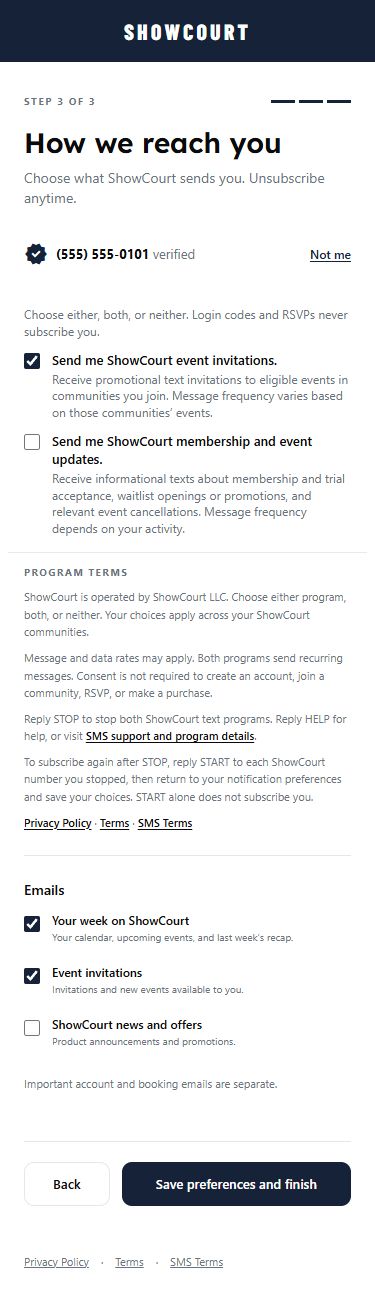
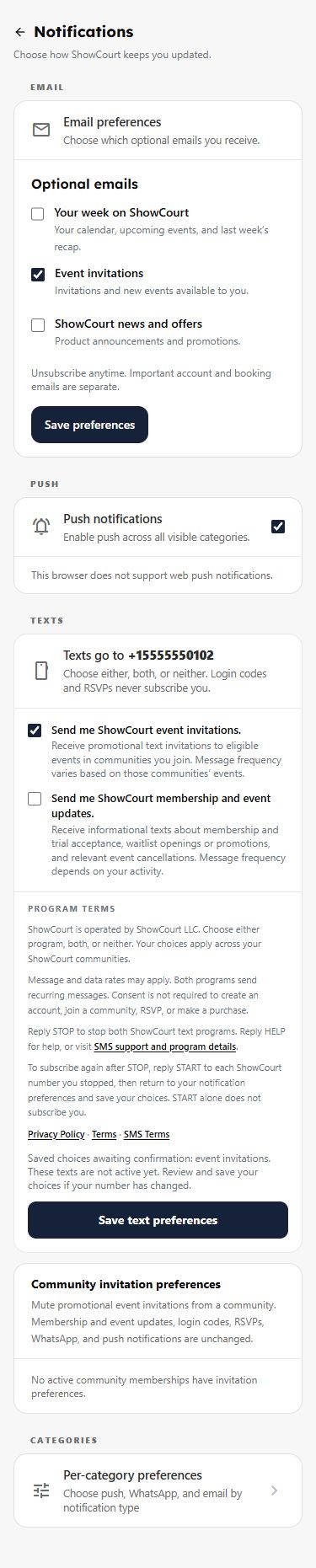
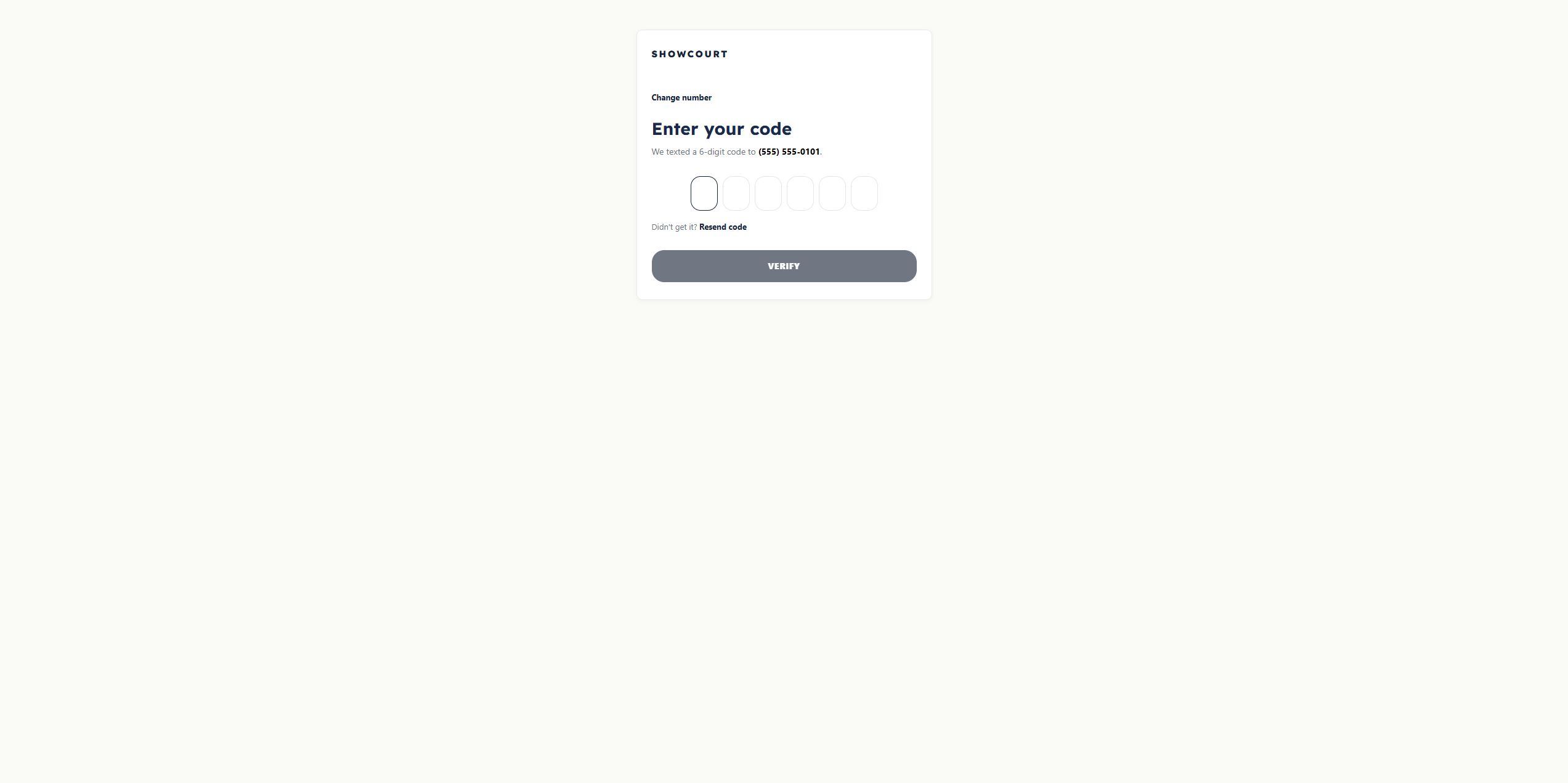
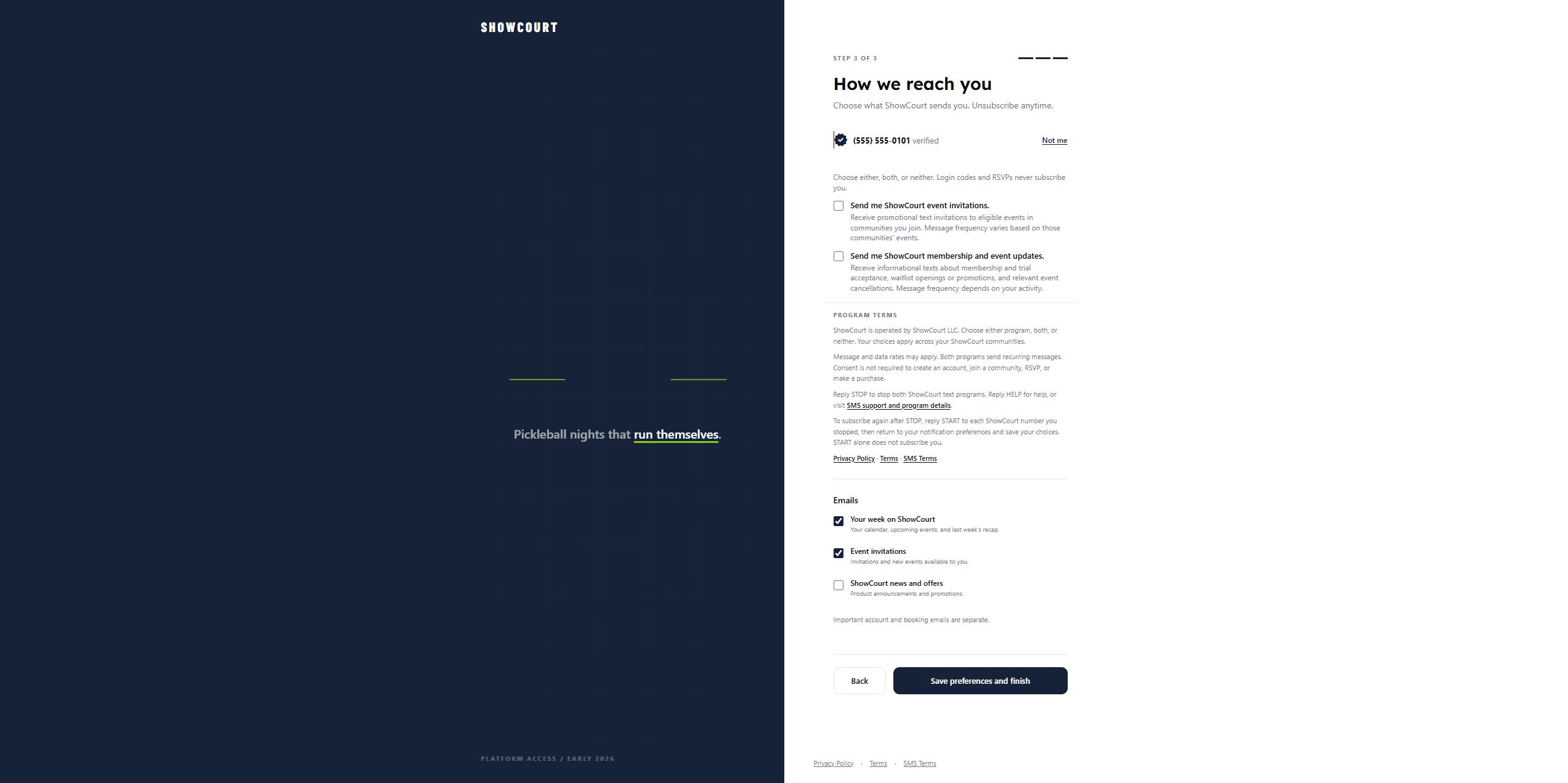
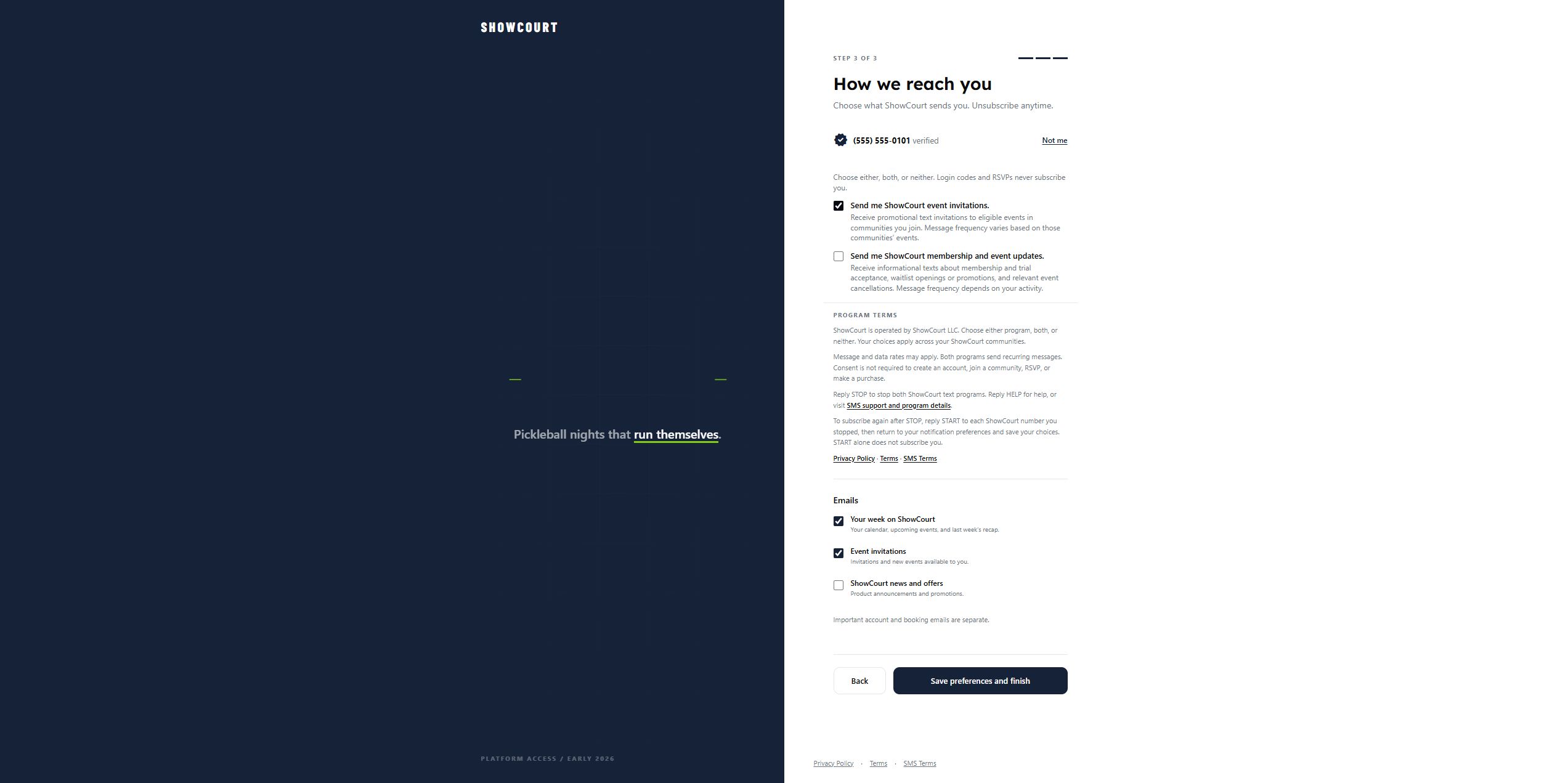
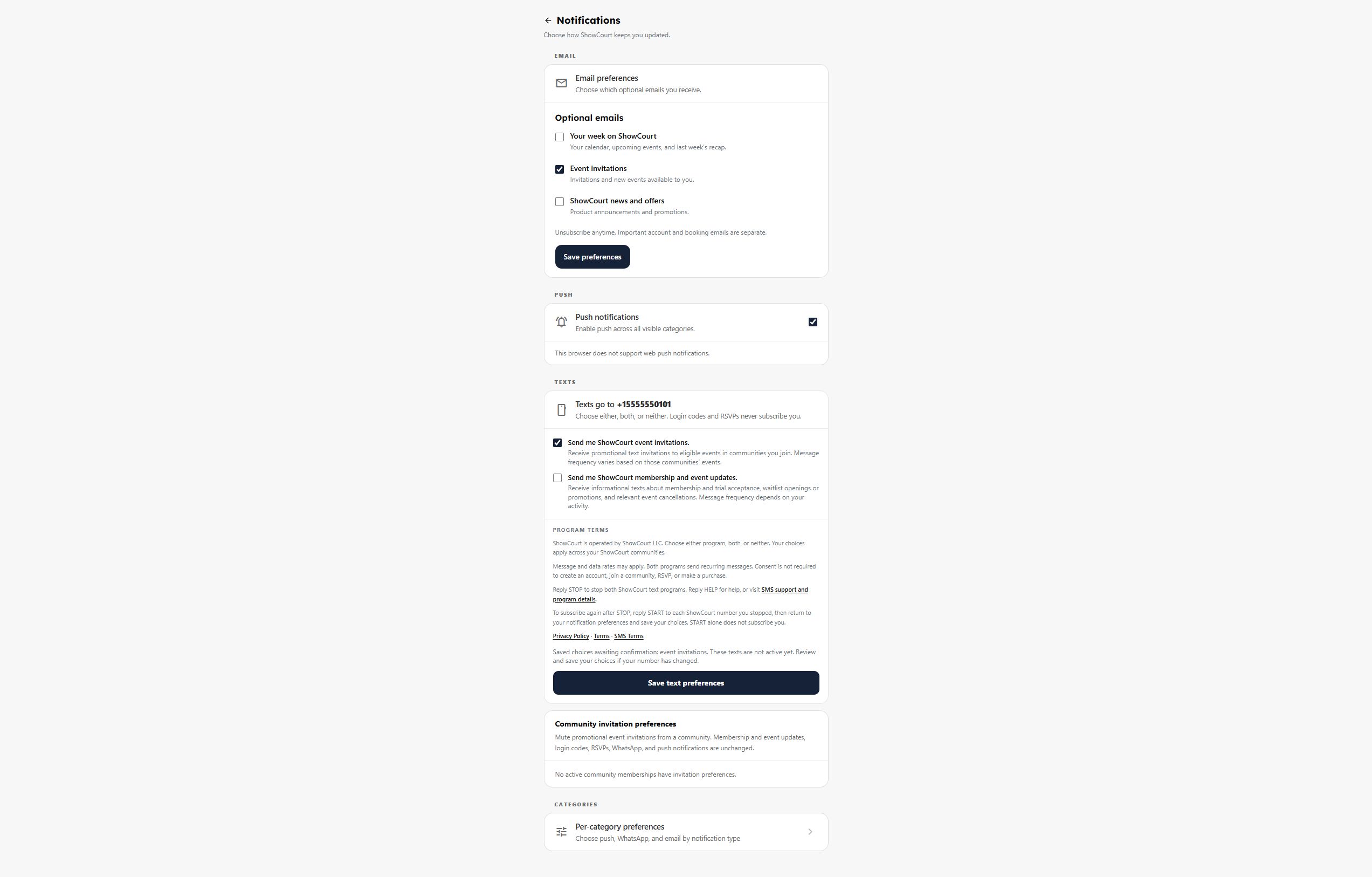
Production entry: showcourt.app/account/start. After phone verification and profile setup, the player reaches How we reach you. Avery Example selects invitations only and uses Save preferences and finish. The saved preference is then visible in Notifications.
| Step | Actual application screenshot |
|---|---|
| Phone verification | One-time code step for the fictional number |
| Before selection | Both text choices unchecked, with disclosure and save button |
| Invitation selection | Invitations checked; updates unchecked · Mobile view |
| After saving | Persisted invitation preference and pending confirmation |
2. Later, from Profile → Notifications → Texts
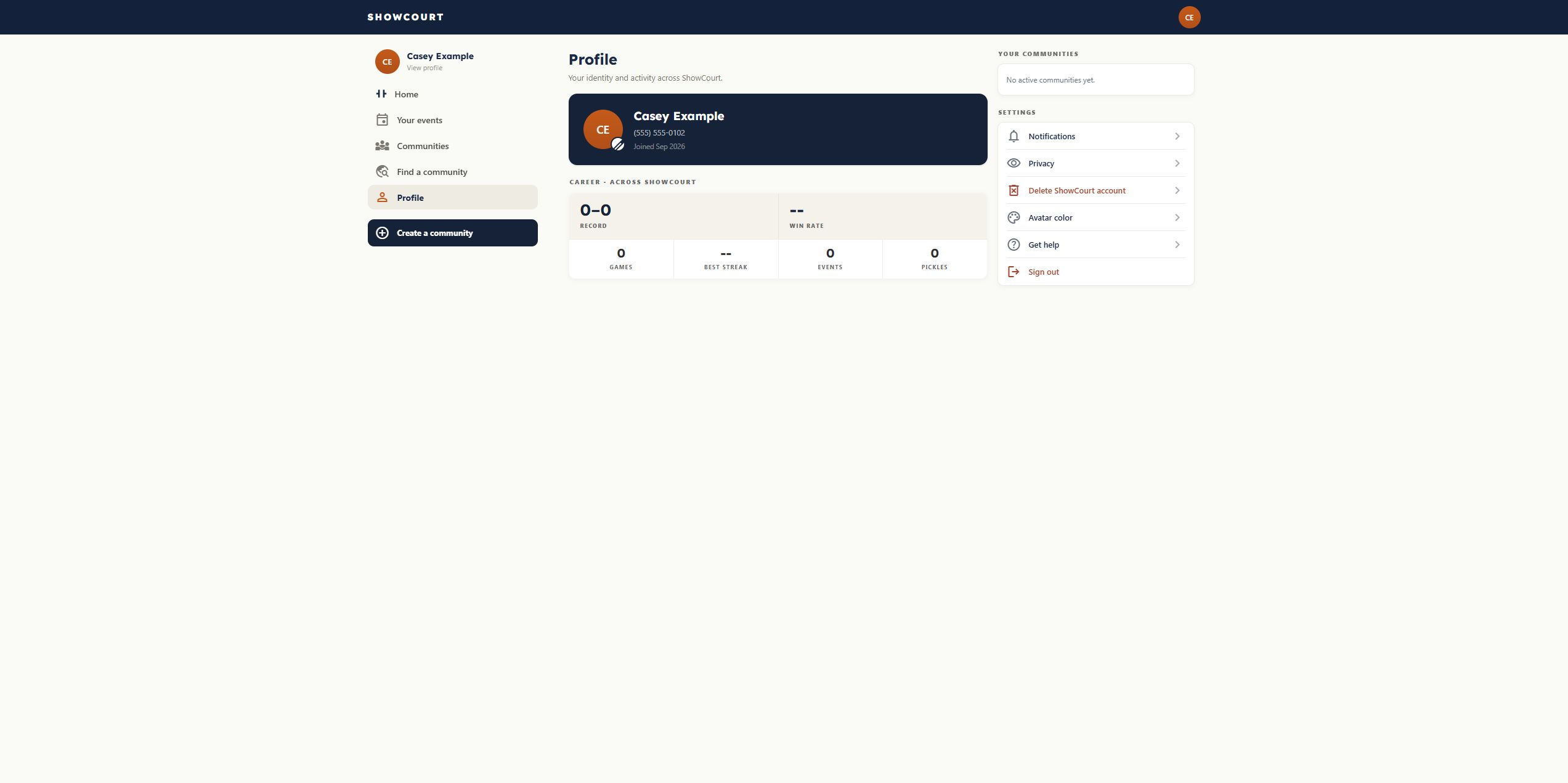
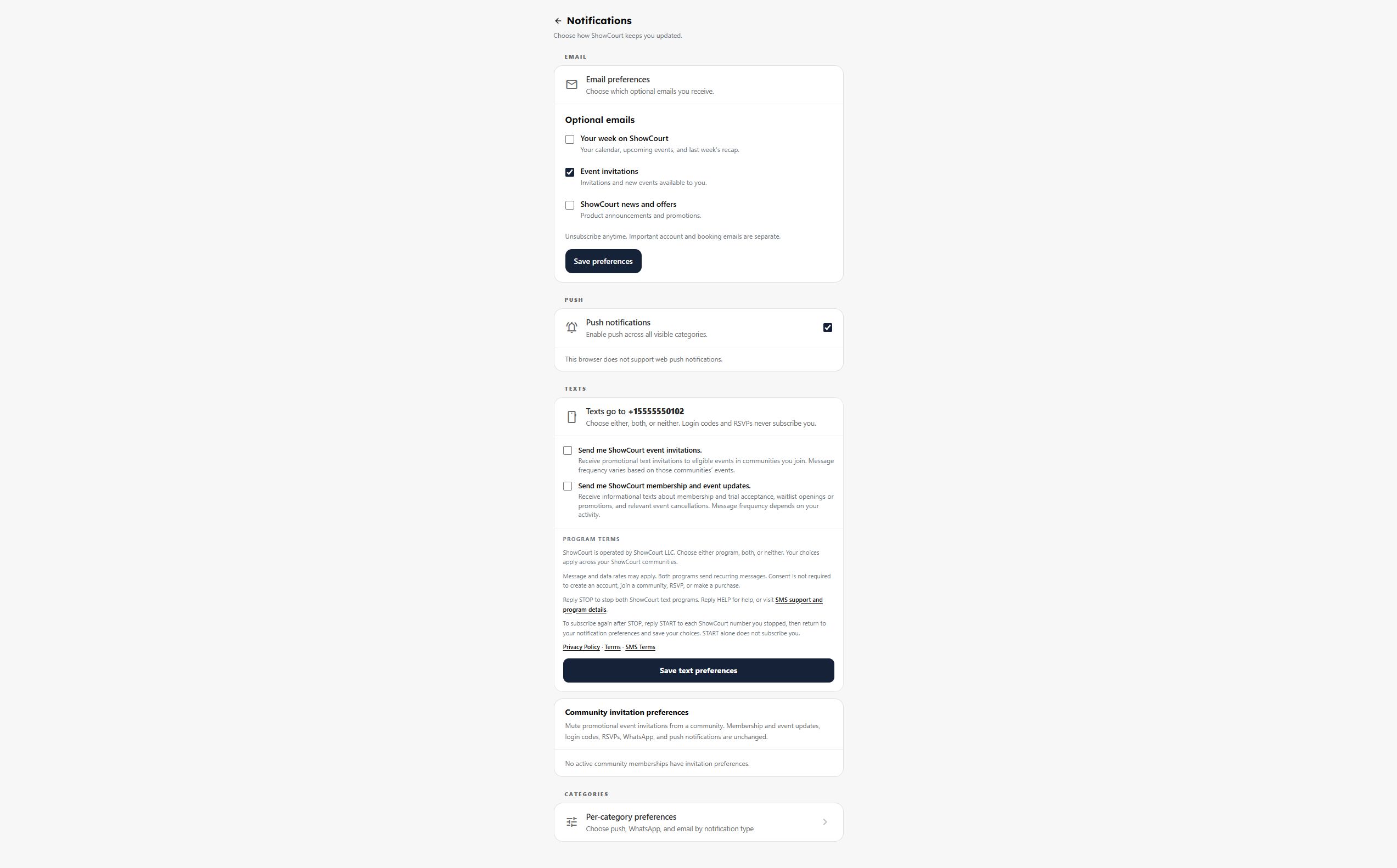
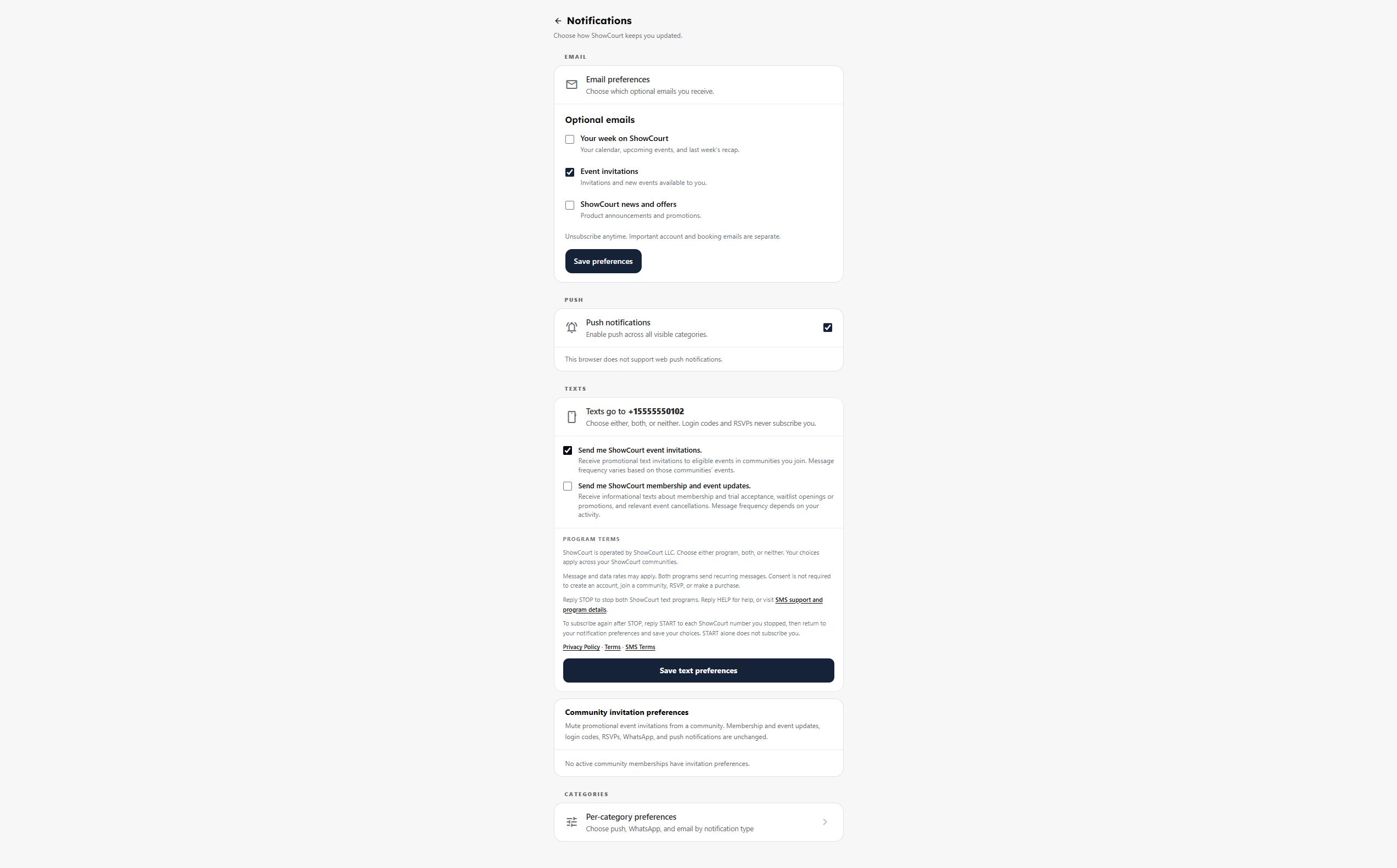
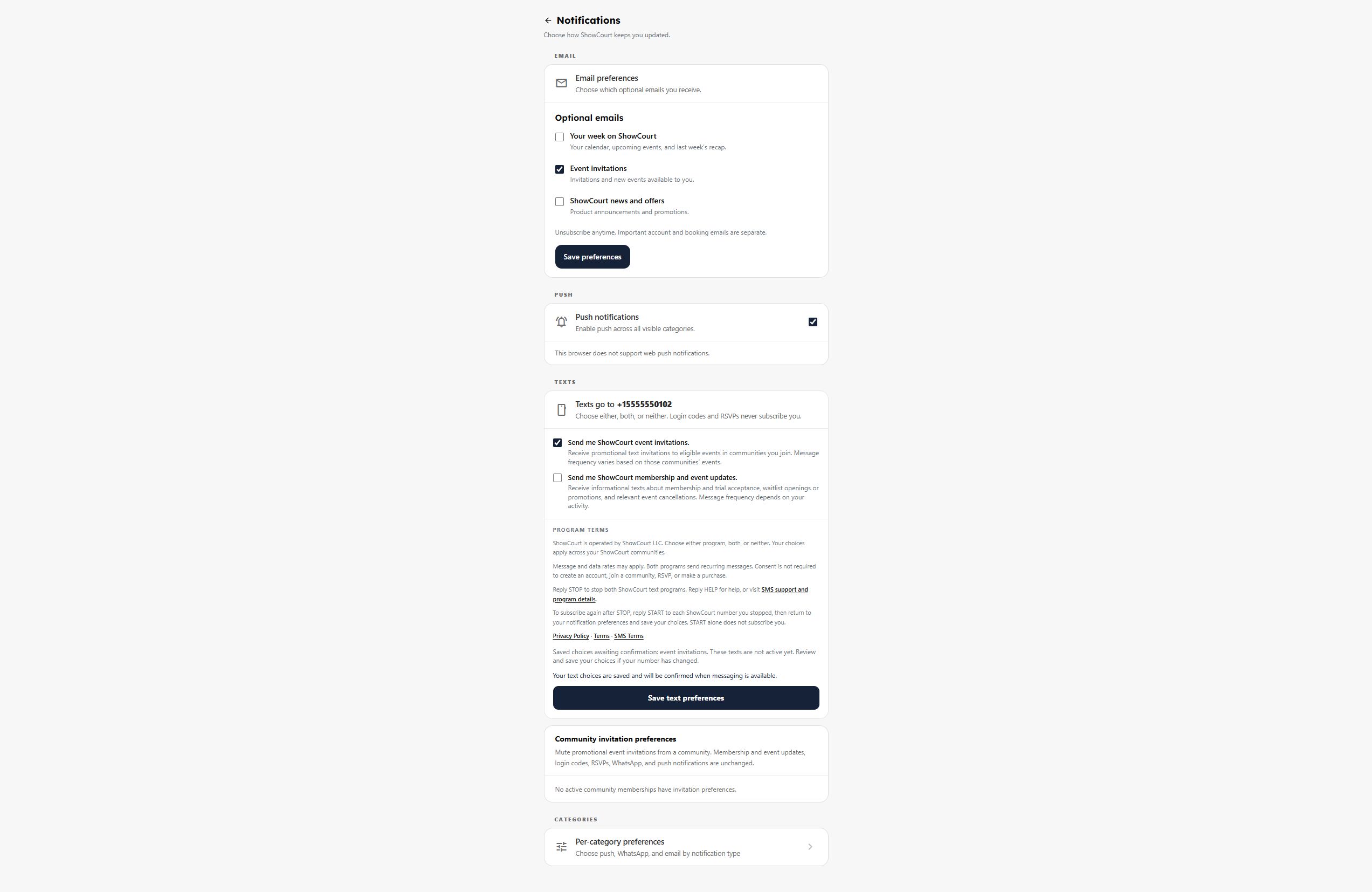
Production route: Notifications → Texts. Casey Example completed signup without choosing either text program. From Profile, this signed-in player opens Notifications, checks only invitations, and uses Save text preferences. The saved choice and pending confirmation remain visible after reloading.
| Step | Actual application screenshot |
|---|---|
| Profile entry | Profile with the Notifications link |
| Before selection | Both text choices unchecked, with disclosure and save button |
| Invitation selection | Invitations checked; updates unchecked |
| After saving | Saved choice and pending confirmation · Mobile view after reload |
What the player sees
Send me ShowCourt event invitations.
Receive promotional text invitations to eligible events in communities you join. Message frequency varies based on those communities’ events.
Both paths show these program terms beside the optional choices:
ShowCourt is operated by ShowCourt LLC. Choose either program, both, or neither. Your choices apply across your ShowCourt communities.
Message and data rates may apply. Both programs send recurring messages. Consent is not required to create an account, join a community, RSVP, or make a purchase.
Reply STOP to stop both ShowCourt text programs. Reply HELP for help, or visit SMS support and program details.
To subscribe again after STOP, reply START to each ShowCourt number you stopped, then return to your notification preferences and save your choices. START alone does not subscribe you.
Website opt-in is the enrollment method. A login code, account creation, community membership, RSVP, or purchase does not subscribe a player. When messaging becomes available, ShowCourt sends this enrollment confirmation before invitations:
You're subscribed to ShowCourt event invitations. Message frequency varies. Msg & data rates may apply. Reply HELP for help or STOP to unsubscribe.
Mobile views of the same controls